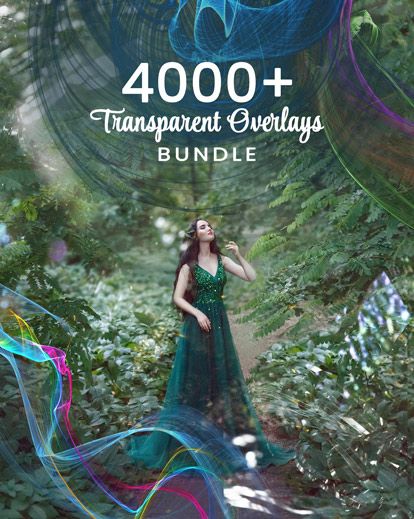
Transparent Overlays
Some of the most powerful edits aren't flashy or obvious. They're the subtle layers that add depth, texture, and atmosphere without distracting from the story. That's exactly what transparent overlays do.
If you love creating images that feel intentional, polished, and visually rich, the Transparent Overlays Bundle gives you an incredibly versatile set of tools to elevate your photography and creative edits-without over-editing or complicated workflows.
What Are Transparent Overlays?
Transparent overlays are image files (usually PNGs) with no background, allowing them to blend seamlessly into your photos. Because the background is already removed, you can:
- Drop them directly into Photoshop
- Resize and reposition freely
- Layer multiple effects together
- Control opacity for subtle or bold results
They're designed to enhance your image, not overpower it.
What's included in the Transparent Overlays Bundle?
This collection includes thousands of transparent overlays that can be used across many photography styles and creative projects. You'll find overlays such as:
- Light flares and glow effects
- Dust, particles, and texture elements
- Smoke, fog, and atmospheric effects
- Abstract shapes and creative accents
These overlays are incredibly flexible and can be layered endlessly to build depth and mood.
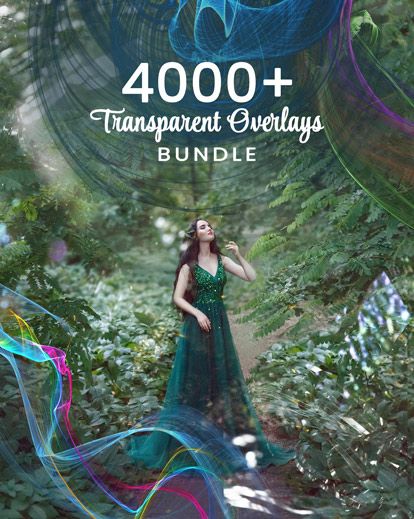
Click on image to download Overlay Bundle:
Why Transparent Overlays Are So Powerful
Transparent overlays give you creative freedom without destructive editing.
They're perfect for:
- Adding atmosphere to portraits
- Enhancing fantasy or creative photography
- Creating layered, cinematic images
- Elevating otherwise simple edits
Instead of forcing a heavy effect, you can gently build visual interest one layer at a time.
Perfect for Creative & Storytelling Photography
If your editing style leans toward storytelling, transparent overlays are invaluable.
They're especially effective for:
- Fantasy and fine-art portraits
- Creative senior sessions
- Conceptual photography
- Artistic composites
Used subtly, they add emotion and movement. Used boldly, they help you create images that feel imaginative and expressive.
Easy to Use in Photoshop
You don't need advanced Photoshop skills to work with transparent overlays.
Basic workflow:
- Open your image in Photoshop
- Drag the transparent overlay into your canvas
- Resize and position as needed
- Adjust opacity or blend mode
- Mask areas for a clean, natural look
This makes transparent overlays beginner-friendly while still offerings endless creative depth for experienced editors.
How Transparent Overlays Work Beautifully with Other Tools
One of the best things about transparent overlays is how well they pair with:
- Sky overlays
- Astro overlays
- Artistic mood effects
- Presets and color grading
Layering tools thoughtfully allows you to build edits that feel cohesive, polished, and intentional.
Who This Bundle is Best For
The transparent Overlays Bundle is ideal for:
- Photographers who enjoy creative editing
- Digital artists and designers
- Fantasy and fine-art portrait creators
- Anyone who wants professional-level effects without complex workflows
If you love experimenting and refining your edits, this bundle will quickly become a go-to resource.
Why This Bundle is an Incredible Value
Instead of hunting for individual overlay files, this bundle gives you a massive library of transparent elements you can reuse endlessly. That means:
- Faster editing
- More creative flexibility
- Consistent quality across projects
It's one of those tools you'll find yourself reaching for again and again.
Final Thoughts
Transparent overlays aren't about making photos look "edited."
They're about enhancing mood, depth, and emotion in subtle, intentional ways.
The Transparent Overlays Bundle gives you creative freedom to experiment, layer, and tell richer visual stories-whether you're working on fantasy portraits or simply refining your everyday edits.
Affiliate Disclosure
This post contains affiliate links. If you choose to make a purchase through these links, I may earn a small commission at no additional cost to you. I only share tools and resources I genuinely believe are valuable for photographers and creatives.